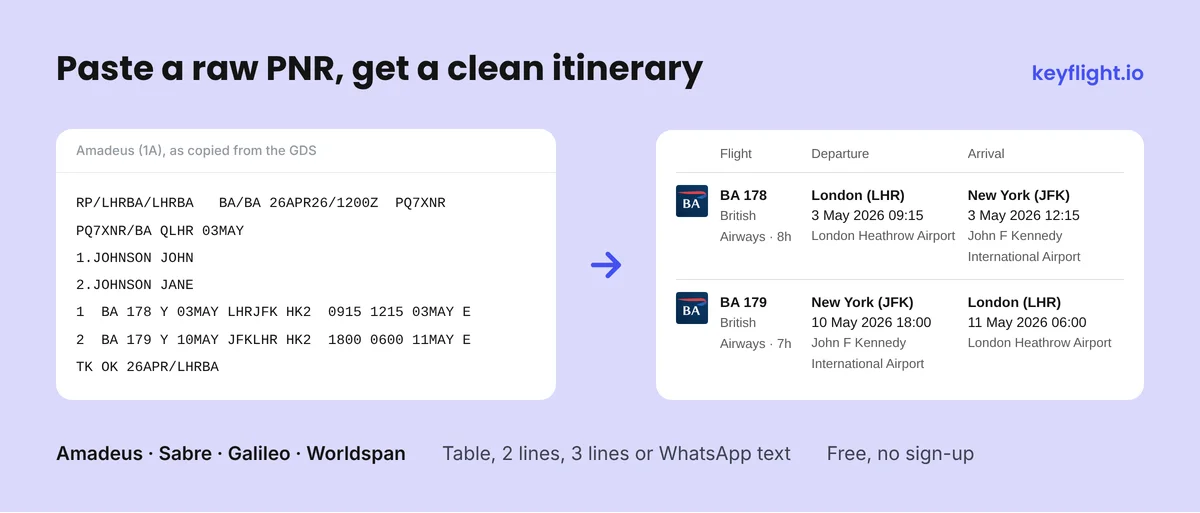
RP/LHRBA/LHRBA BA/BA 26APR26/1200Z PQ7XNR
PQ7XNR/BA QLHR 03MAY
1.JOHNSON JOHN
2.JOHNSON JANE
1 BA 178 Y 03MAY LHRJFK HK2 0915 1215 03MAY E LHRJFK
2 BA 179 Y 10MAY JFKLHR HK2 1800 0600 11MAY E JFKLHR
TK OK 26APR/LHRBA
J1MUKK
1.1 JOHNSON/EMILY 2.1 JOHNSON/ROBERT
1 BA0286C 22JUN F SFOLHR HK2 1635 1100 23JUN /DCBA*MUKK22 /E
2 BA0309C 22JUN W LHRBRU HK2 1255 1500 23JUN /DCBA*MUKK22 /E
3 BA0397C 06JUL J BRULHR HK2 1530 1545 06JUL /DCBA*MUKK22 /E
4 BA0285C 06JUL J LHRSFO HK2 1850 2155 06JUL /DCBA*MUKK22 /E
RLOC 1G GLO789 CRT.LAX1G2100/AG 12MAY/1430Z
TICKETED ELECTRONIC
RUIZ/CARLOS MR/MARIA MRS
1. UA 0950 J 18JUN LAXFRA HK2 1830 #1320 * E TH
2. LH 1010 J 19JUN FRAMUC HK2 1500 #1605 * E FR
3. LH 1011 C 03JUL MUCFRA HK2 0800 #0905 * E TH
4. UA 0951 C 03JUL FRALAX HK2 1230 #1545 * E TH
2ABCDE
1.1 NGUYEN/THANH MR 2.1 NGUYEN/LINH MRS
1 VN 741Y 25JUL HANSGN HK2 0700 0905 *
2 VN 319Y 25JUL SGNNRT HK2 2245 #0710 *
3 NH 878Y 04AUG NRTBKK HK2 1730 #2235 *
4 NH 877W 12AUG BKKHND HK2 2300 #0700 *
Anatomy of a PNR: hover to explore
Each fragment of a raw PNR maps to a specific piece of booking information. Hover over any element on the left to highlight its meaning on the right, and vice versa. This is an Amadeus format example with two passengers and a return flight London ↔ New York.
RP/LHRBA/LHRBA BA/BA 26APR26/1200Z PQ7XNR
1.JOHNSON/JOHN MR
2.JOHNSON/JANE MRS
1 BA 178 Y 03MAY LHRJFK HK2 0915 1215 03MAY E
2 BA 179 Y 10MAY JFKLHR HK2 1800 0600 11MAY E
TK OK 26APR/LHRBA
Booking reference (PNR locator)
PQ7XNR is the six-character code used to retrieve the booking from the GDS.
Passenger 1
John Johnson (Mr). Family / given format with title.
Passenger 2
Jane Johnson (Mrs)
Flight 1: outbound
British Airways BA 178, class Y (economy). London Heathrow → New York JFK on May 3, 09:15 to 12:15. Status HK2: confirmed for 2 passengers.
Flight 2: return
British Airways BA 179, class Y. New York JFK → London Heathrow on May 10, 18:00 to 06:00 next day. Status HK2: confirmed.
Tip: on touch devices, tap any element to highlight related parts; tap again to clear.
What is a PNR code?
A PNR (Passenger Name Record) is a structured data record created by a Global Distribution System such as Amadeus, Sabre, or Galileo when a flight booking is made. It contains passenger names, flight segments, departure and arrival airports, dates and times, booking class, and a unique six-character alphanumeric locator that identifies the reservation.
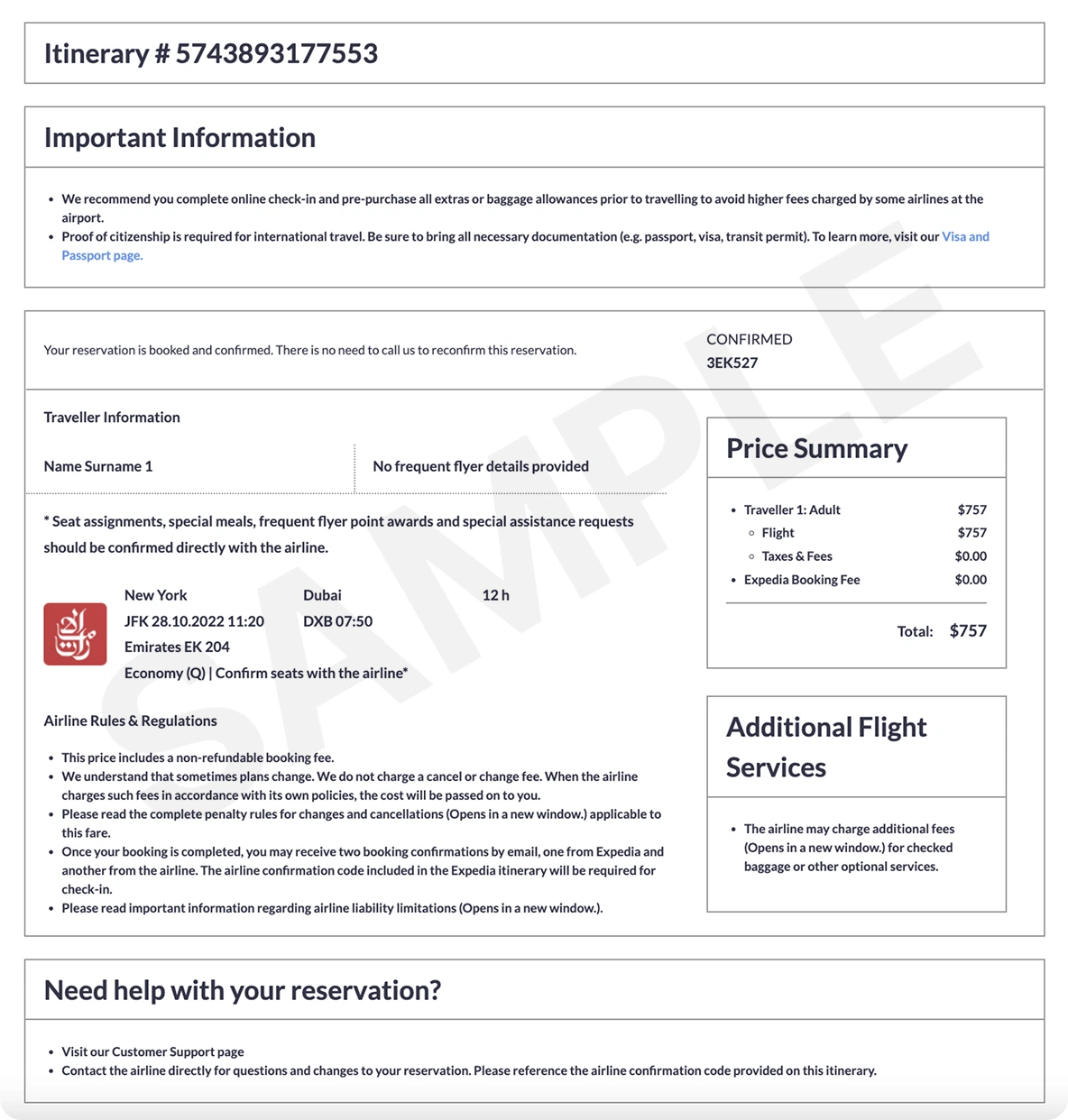
While PNR codes are the industry standard, their raw format is not readable for passengers or visa officers. Our PNR Decoder & Converter parses this data automatically and turns it into a clean, professional flight itinerary PDF, ready to send to the customer or attach to a visa application.
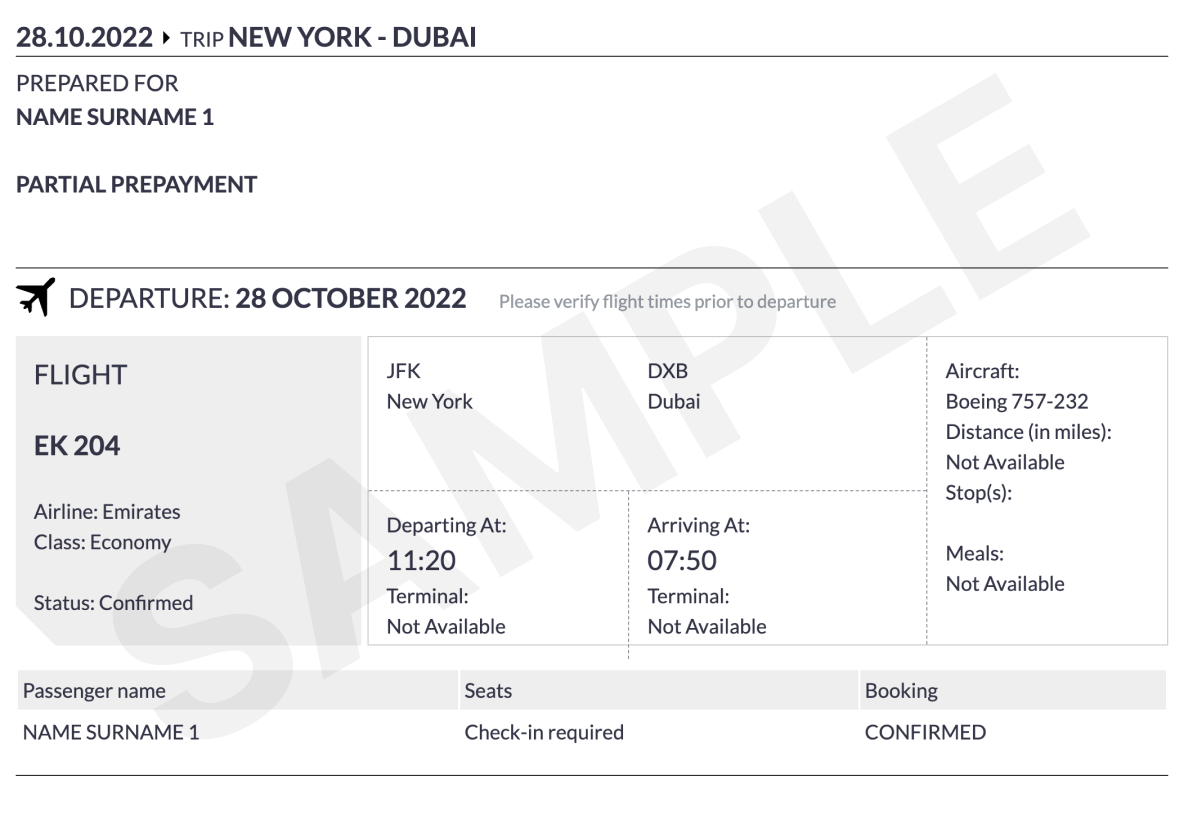
Every flight segment in a PNR carries a two-letter status code followed by the passenger count. For example, HK2 means the segment is confirmed for 2 passengers. Knowing the status is essential when reading a booking: only certain codes mean the seat is held, while others indicate the booking has been cancelled, waitlisted, or rejected by the airline.
Each Global Distribution System produces a PNR in its own syntax. The information is the same (passenger names, flight segments, status, dates and times), but the layout, separators, and field order differ. Here is a side-by-side comparison of the structural differences a travel agent or developer needs to know when reading or parsing a PNR.
What GDS formats does the PNR converter support?
The converter supports standard PNR output from all major Global Distribution Systems: Amadeus (1A), Sabre (1B / 1S), Galileo and Apollo (1G / 1V), and Worldspan (1P). Each format is auto-detected from the header, so you can paste any PNR without changing settings.
What does PNR stand for?
PNR stands for Passenger Name Record. It is a data record created in the airline reservation system when a booking is made. Every reservation in Amadeus, Sabre, Galileo, or Worldspan produces a PNR with a unique six-character alphanumeric locator code such as XA5IRG or PQ7XNR, used to retrieve the booking.
How do I read a PNR locator code?
A PNR locator (also called record locator or PNR number) is a six-character alphanumeric identifier assigned by the GDS. It appears in different positions depending on the system: in Amadeus it is the last token on the RP/ header line, in Sabre and Worldspan it is a standalone line at the very top of the record, and in Galileo it follows the RLOC tag in the first line.
What does HK1 mean in a PNR?
HK stands for "Holds Confirmed" and the digit shows the passenger count. So HK1 means the segment is confirmed for one passenger, HK2 for two, and so on. HK is the normal status of a valid, active booking. See the segment status codes table above for the full list including HL, HX, UN, and WK.
What is the difference between HK and HL in a PNR?
HK (Holds Confirmed) means the seat is fully booked and held for the passenger. HL (Holds Confirmed Later) means the passenger is waitlisted; the booking is held but pending seat availability. An HL segment becomes HK or KL once cleared from the waitlist.
Can I use the generated itinerary for a visa application?
Yes. The PDF contains all the details typically required by embassies: passenger names, flight numbers, departure and arrival airports, dates and times, and a booking reference. This format is accepted for Schengen, US B1/B2, UK Standard Visitor, Canadian, Australian, and most other visa applications that require proof of onward travel or flight itinerary documentation.
How many passengers and flights can I include?
The PRO ticket supports up to 20 passengers and multi-city itineraries with multiple flight segments. The Simple (free) ticket supports up to 2 passengers and one or more flight segments depending on the source. Both options are decoded automatically from the PNR you paste.
Does the converter handle code-share and operated-by flights?
Yes. Code-share segments (such as LH*7421 with an "OPERATED BY SINGAPORE AIRLINES" line) are parsed correctly. The marketing carrier and flight number are extracted from the main segment, and the operating carrier note is preserved separately.
What about ARNK and open segments?
ARNK (Arrival Unknown) surface segments and OPEN segments without a specific flight time are recognised and skipped during parsing, since they are not real flights and do not appear in the generated itinerary. Other segments in the same PNR are still extracted normally.
Is my PNR data stored or shared?
No. PNR data is parsed in real time on our server and is never logged or stored beyond the request itself. The converter is stateless. Once the page is closed, no trace of your input remains.
Why does my PNR show next-day arrival (overnight flight)?
When a flight arrives on the day after departure, GDS systems indicate this differently. Amadeus and Sabre include an explicit arrival date column. Galileo and Worldspan use a hash mark (#) before the arrival time. For example, #1320 means 13:20 the next day. The converter handles all of these notations automatically.