Amadeus PNR Converter

Convert raw Amadeus (1A) PNRs into a clean, customer-ready itinerary in one click. The tool detects the Amadeus signature automatically — no need to flag the GDS or strip anything from the response.

Travel consultants working in Amadeus Selling Platform Connect, Cryptic, or Command Page can paste the full RT/RTSVC output as-is. The parser reads the RP/ header line, every segment row, status codes (HK, HL, KK, HX), and passenger lines in the 1.SURNAME GIVEN format, then renders an itinerary that you can deliver to a customer or attach to a visa application.
Enter your PNR code

Flight class Economy
Economy
Premium Economy
Business
First Class
Logo on ticket Without logo
Expedition
Your logo
No logo

Passengers
2 max

+ Add Passenger

Enter email to receive your flight itinerary

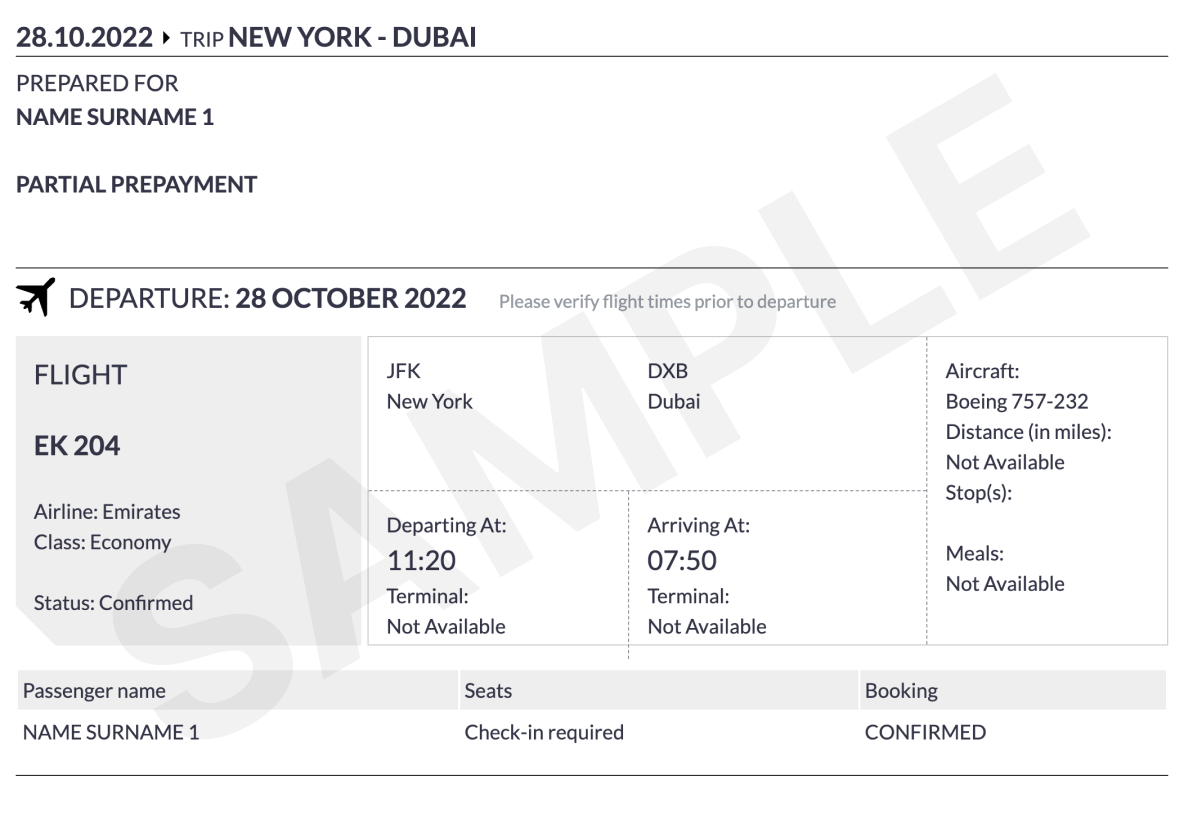
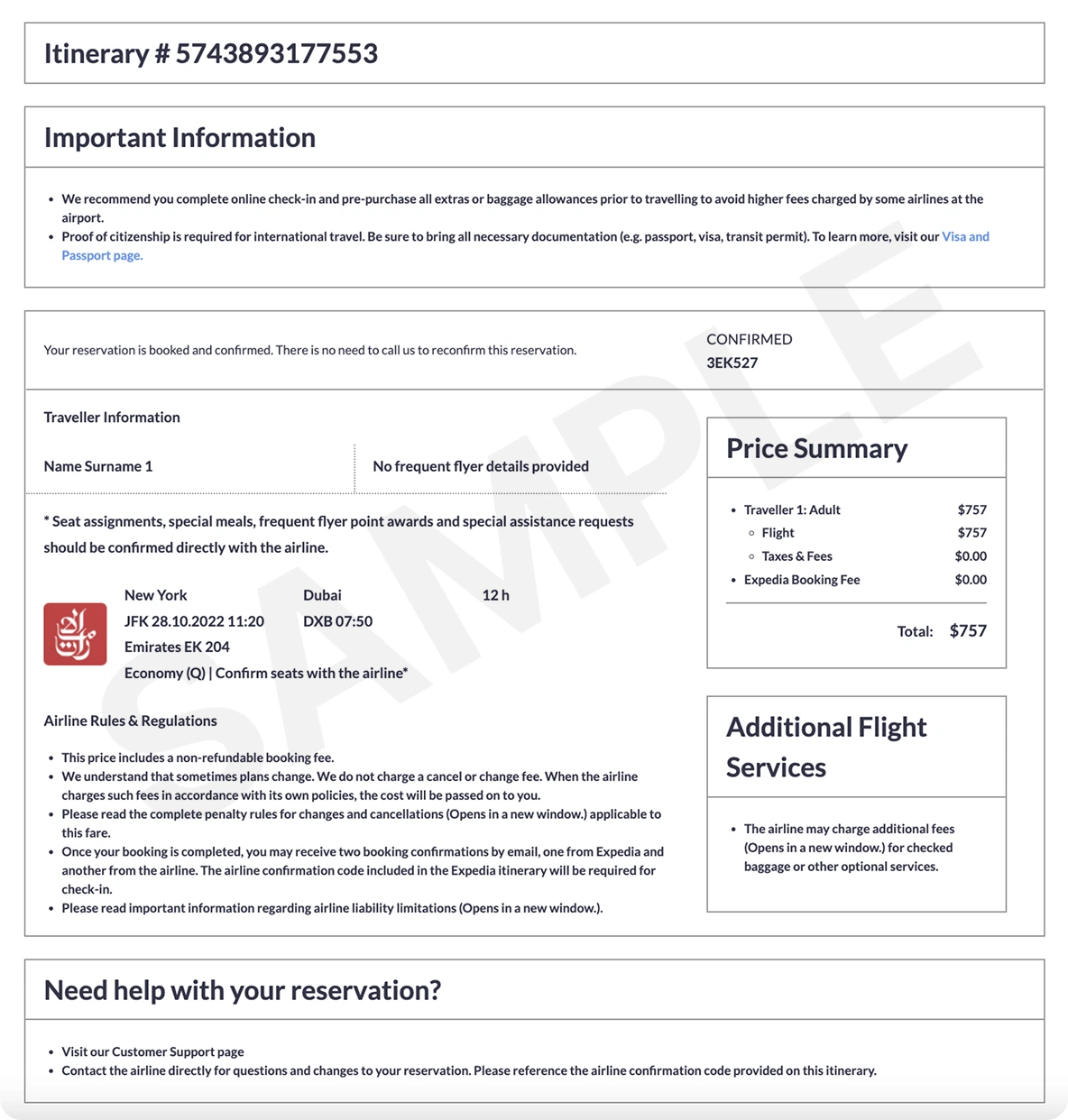
What a verifiable ticket looks like
ticket ticket

How the Amadeus PNR Converter works

1
Paste the whole Amadeus response
Copy from the RP/ header through the last FA or RM line. You don’t need to clean up the cryptic — the parser ignores fare, ticket-time and accounting lines it doesn’t need.
2
Confirm flights and passengers
We show every segment with airline, class, date, times, and routing pulled straight from your PNR. Status codes (HK, HL, KK, HX, UN, WK) are preserved exactly as they were in 1A.
3
Generate the itinerary
Choose between a Simple itinerary (free, sent by email) or a Pro Expedia-style ticket with PNR and price summary. Open in PDF, share, or print straight from the browser.

Example: Amadeus PNR with two passengers and a return flight

Amadeus (1A) format
RP/LHRBA/LHRBA            BA/BA  26APR26/1200Z   PQ7XNR
PQ7XNR/BA QLHR 03MAY
1.JOHNSON JOHN
2.JOHNSON JANE
3  BA 178 Y 03MAY 7 LHRJFK HK2  0855 1205  03MAY  E  BA/PQ7XNR
4  BA 117 Y 10MAY 7 JFKLHR HK2  1830 0640  11MAY  E  BA/PQ7XNR
5 TKT/TIME LIMIT
6 OPC LHRBA-10MAY:1900/1S2/Q TKT/T-BA
7 FA PAX 125-2196837482/ETBA/GBP560.20/03MAY26/LHRBA2104/00390755/S3-4

Frequently Asked Questions

Which Amadeus formats does the converter understand?

Anything that starts with the standard RP/ office line and ends with a price/ticket footer is supported, including responses from Selling Platform Connect, Cryptic, Command Page, and Amadeus Web Services. Itineraries with code-share segments, ARNK (surface) entries, and waitlisted (HL) statuses are handled too.

Where do I find the PNR in Amadeus?

The 6-character Amadeus record locator sits at the end of the RP/ header line (for example PQ7XNR in RP/LHRBA/LHRBA … PQ7XNR). After running RT, copy the whole screen — you don’t need to extract the locator manually, the tool fills it in for you.

What do the HK, HL and KK codes mean?

HK means the segment is confirmed (Holds Confirmed). HL is a waitlist hold — the seat is not yet confirmed. KK is a confirmation pending review. The converter keeps every code visible on the generated itinerary so it stays auditable.

Can I use the output for a visa application?

Yes — the Simple itinerary is a verifiable, customer-friendly document accepted by most embassies for visa interviews and onward-travel checks. For a stronger booking confirmation (real PNR with airline lookup), use the Pro Expedia-style ticket.

Does it handle multi-segment and codeshare Amadeus PNRs?

Yes. Multi-city itineraries, return flights, codeshare segments (marketing carrier shown in cryptic), and overnight arrivals (next-day markers in 1A) are parsed without manual cleanup.