Sabre PNR Converter

Drop a raw Sabre (1B/1S) PNR into the converter and receive a customer-ready itinerary instantly. The parser auto-detects Sabre by its 6-character locator, /DC carrier markers, and the 1.1 SURNAME/GIVEN passenger syntax.

If you work in Sabre Red 360, Web Services, or the classic green screen, you can paste the entire *A display unchanged. The converter strips the cryptic noise it doesn’t need (queue placements, history lines, remarks) and surfaces every flight segment with date, class, status and routing intact.
Enter your PNR code

Flight class Economy
Economy
Premium Economy
Business
First Class
Logo on ticket Without logo
Expedition
Your logo
No logo

Passengers
2 max

+ Add Passenger

Enter email to receive your flight itinerary

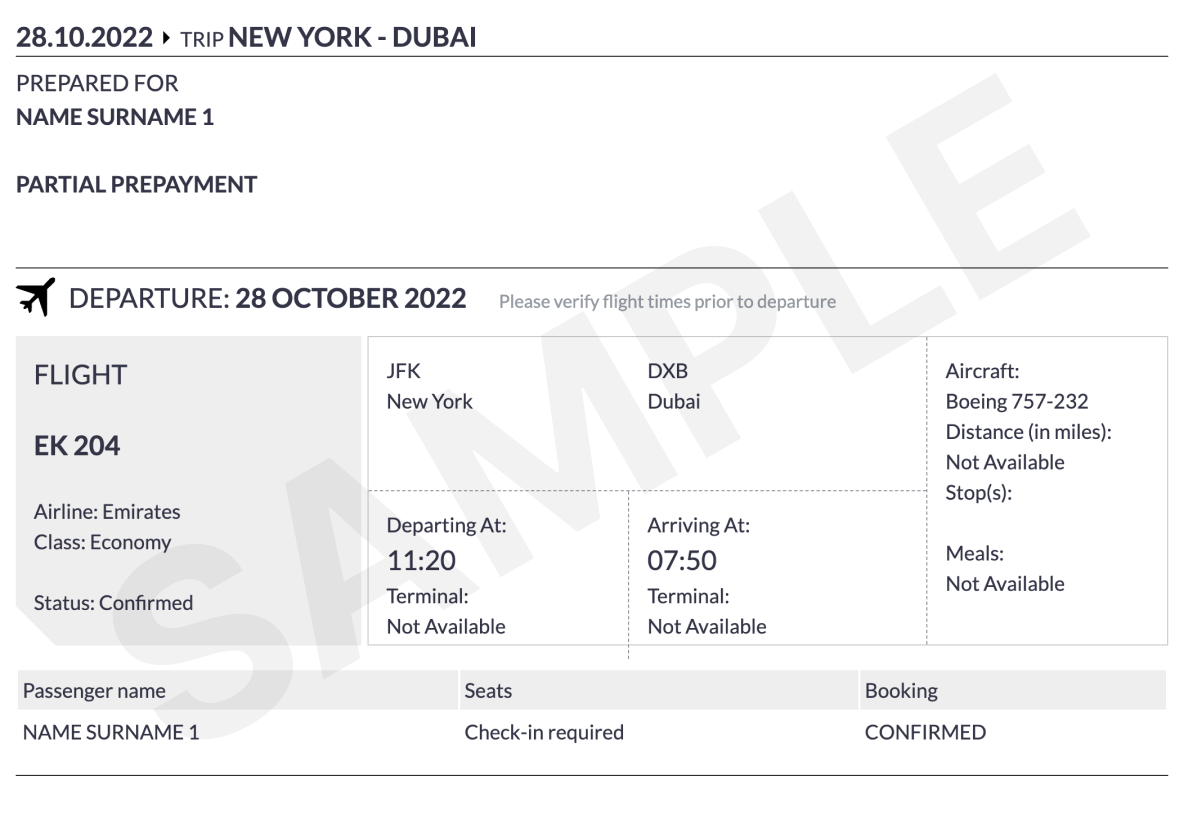
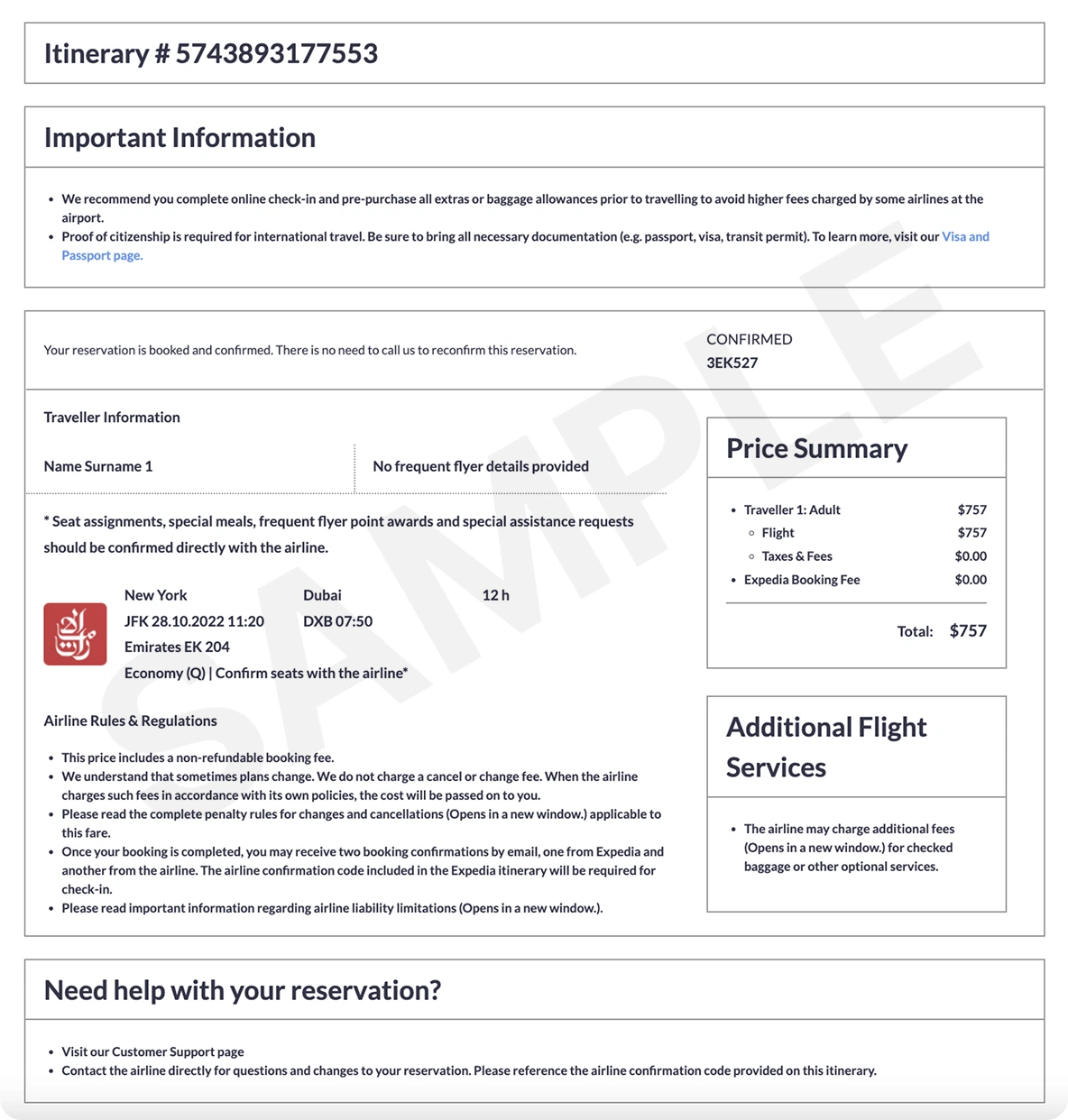
What a verifiable ticket looks like
ticket ticket

How the Sabre PNR Converter works

1
Copy the *A display
Run *A in Sabre and copy everything from the locator at the top to the receive-from footer. The converter detects 1B/1S even when there’s no explicit GDS header.
2
Review what the parser found
Every /DC codeshare marker, status code, and the 1.1 passenger numbering is preserved. ARNK (surface) and OPEN segments don’t break the flow.
3
Ship the itinerary
Choose Simple (free, e-mailed PDF) or Pro (Expedia-style with PNR and price summary). Either output is downloadable in seconds.

Example: Sabre PNR with two passengers and a return

Sabre (1B/1S) format
J1MUKK
 1.1JOHNSON/JOHN MR  2.1JOHNSON/JANE MRS
 1 AA 100Y 03MAY S JFKLHR HK2   1830 0640  04MAY /DCAA*PQRSTU /E
 2 AA 101Y 10MAY S LHRJFK HK2   0855 1205  10MAY /DCAA*PQRSTU /E
TKT/TIME LIMIT
  1.TAW/
FONE
  1.LHRT*+44 20 7946 0123
INVOICED-MIA1234/AAA AGENCY
RECEIVED FROM - JOHN
AAA.AAA*A0A 1234/03MAY26 J1MUKK H

Frequently Asked Questions

Which Sabre PNR formats are supported?

Anything from Sabre Red 360, Sabre Web Services, or the cryptic green screen. The signatures the converter looks for are the 6-character locator on the first line, 1.1 passenger numbering, and /DC carrier markers in segment rows.

Where is the record locator in a Sabre PNR?

The locator (also called the Sabre confirmation number) is the first thing the *A display prints — six alphanumeric characters such as J1MUKK. The converter picks it up automatically and writes it into the itinerary.

Does it parse Sabre codeshare segments?

Yes. The /DC<CARRIER>*<LOCATOR> token after each segment is read so the marketing vs. operating carrier is preserved on the itinerary.

Can the output be used for visa or onward-travel proof?

The Simple itinerary is accepted by most consulates for visa interviews. If you need a verifiable PNR that an embassy or border agent can look up with the airline, switch to the Pro Expedia-style ticket.

Does it handle overnight arrivals?

Yes. When the arrival date differs from the departure date — for example a JFK→LHR overnight flight — Sabre prints the next-day date inline, and the converter renders it on the itinerary so customers don’t arrive a day late.